Everything in LogBook, and what it's for.
Four parts you'll use every day, and a handful of things that make them nicer. Nothing you have to learn first.
LogBook is invite-only during the beta. Send us an email and we'll get back to you.
01 · Log
Log
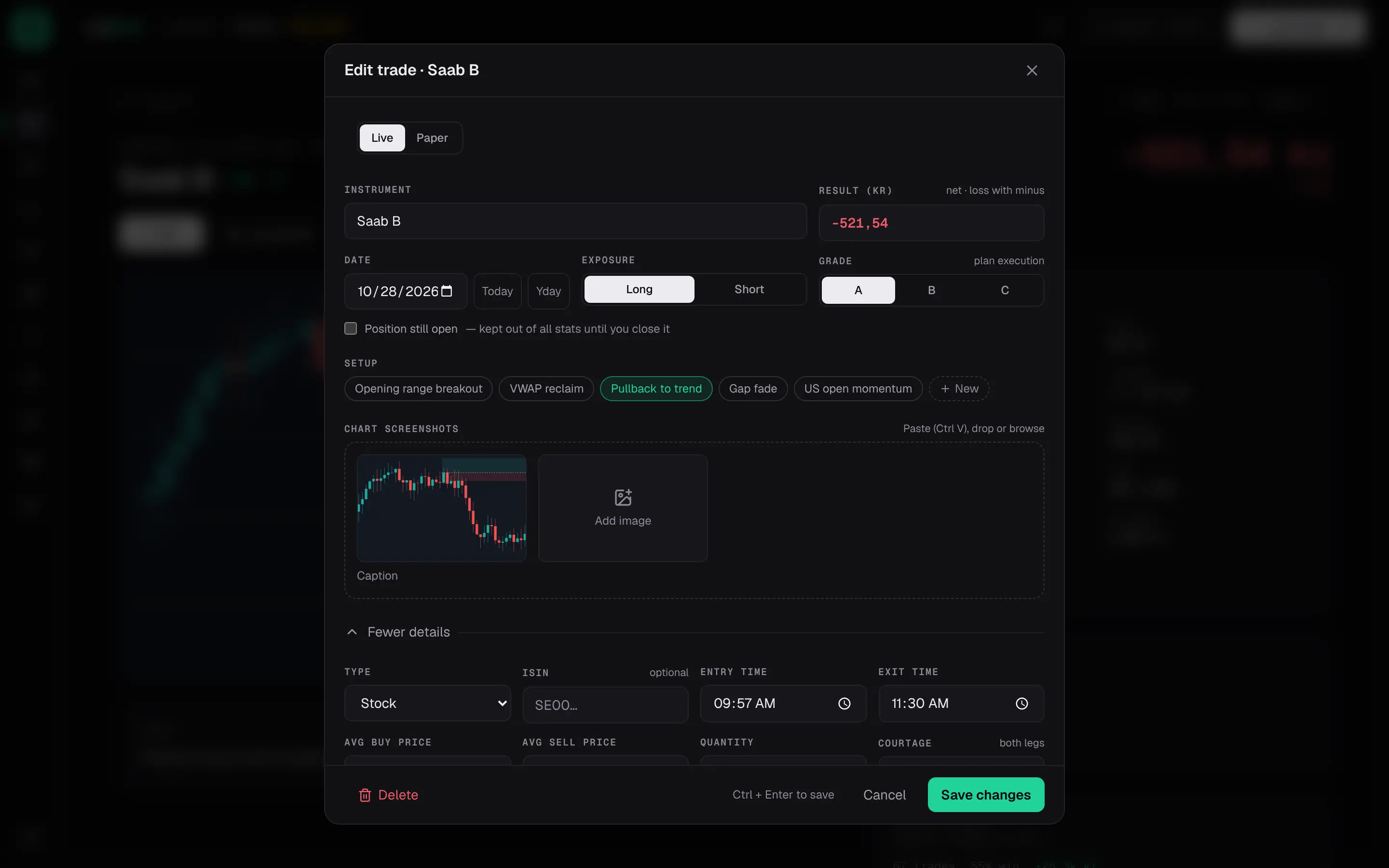
The form asks for what a trade needs: instrument, side, result in kronor, date and a grade. Paste the chart with Ctrl V, drop a file or browse for one. Everything else lives under More details and stays out of the way until you want it: entry and exit prices, quantity, courtage, stop and target, risk per trade, tags for setup and mistakes, a playbook, and notes. Ctrl Enter saves. If you close the form by mistake, your draft is still there when you come back.
- Grade A, B or C for how well you followed your plan, not for how the trade ended.
- Set your risk in kronor and the result is shown as an R multiple too, in the form and in Analytics.
- A position that is still open is kept out of every statistic until you close it.
02 · Calendar
Calendar
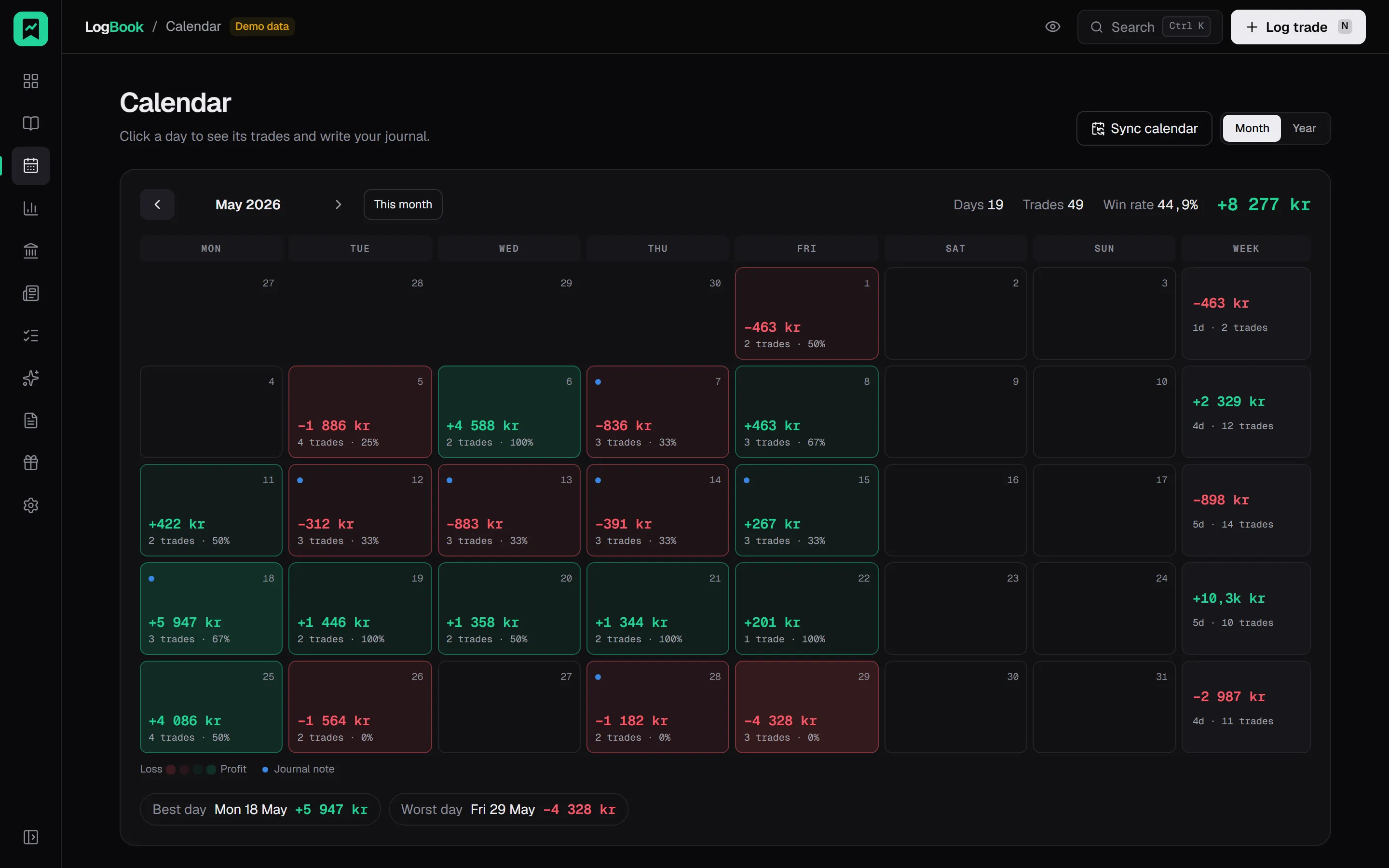
A month at a glance, Monday to Sunday. Each day you traded shows its net result, the number of trades and the win rate; each week ends in a total. Click a day and you get the trades you took and the note you wrote, in a drawer, without leaving the page. On a phone the grid shrinks to a colour and a short amount per day, so a month still fits on one screen.
- The best and worst day of the month are marked under the grid, so you know where to look first.
- Days with a note but no trades get their own mark: a plan you wrote, a day you sat out.
- Colour intensity follows the amount, with a legend, so one big day doesn't look like ten small ones.
03 · Analytics
Analytics
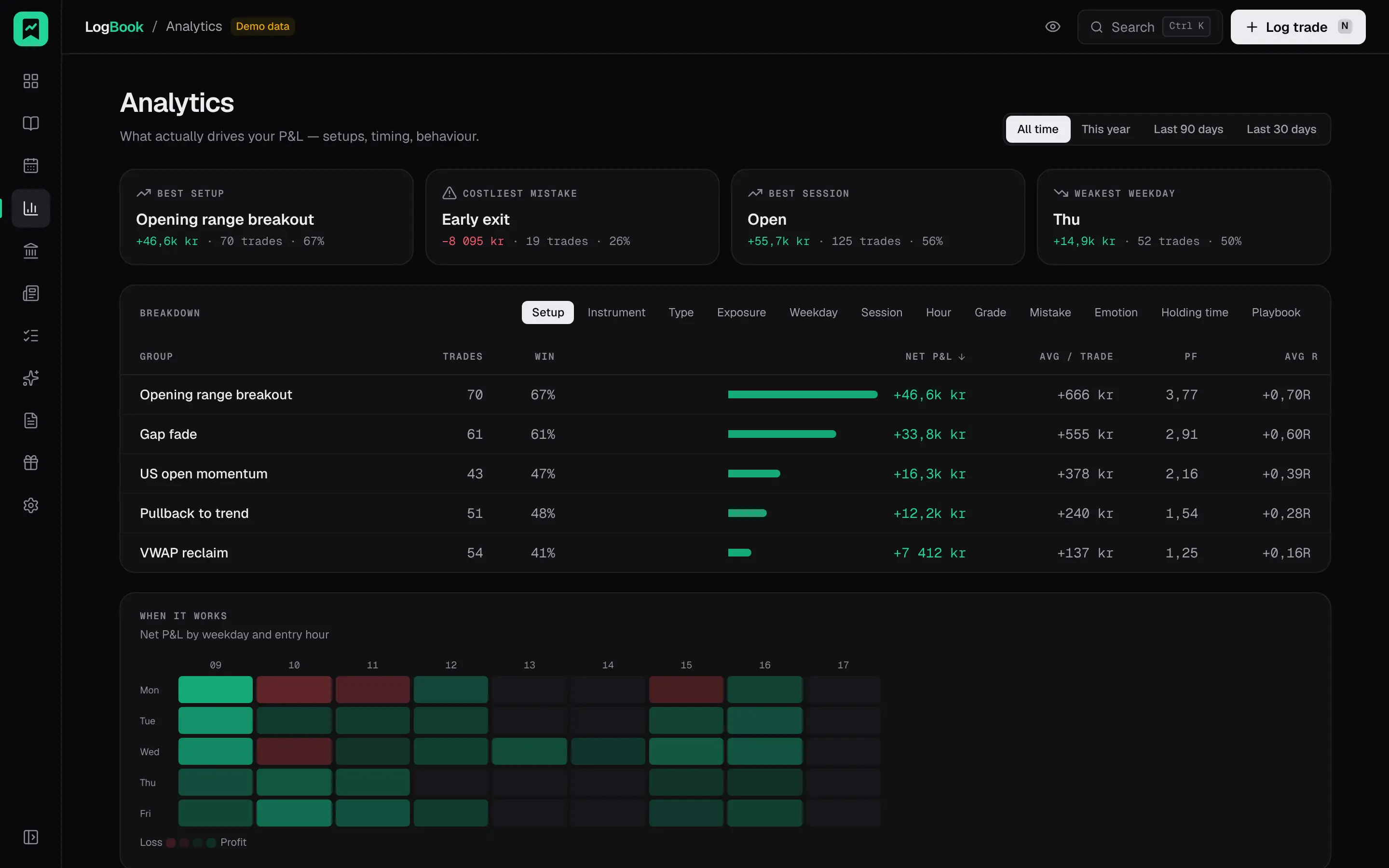
Win rate, profit factor, expectancy and max drawdown for the period you choose, compared with the period before. Then a breakdown by whatever you want to know: setup, mistake, instrument, type, direction, weekday, session, hour, grade, emotion, holding time or playbook. Click a row and the journal opens filtered to those trades, so a number is never the end of the question.
- Groups with fewer than 10 trades are shown dimmed and with their n, so a 100 % win rate on two trades looks like what it is.
- A weekday by hour heatmap shows when your results come from, in Stockholm time.
- Breaking one of your own limits is recorded, with what happened after.
04 · Routines
Routines
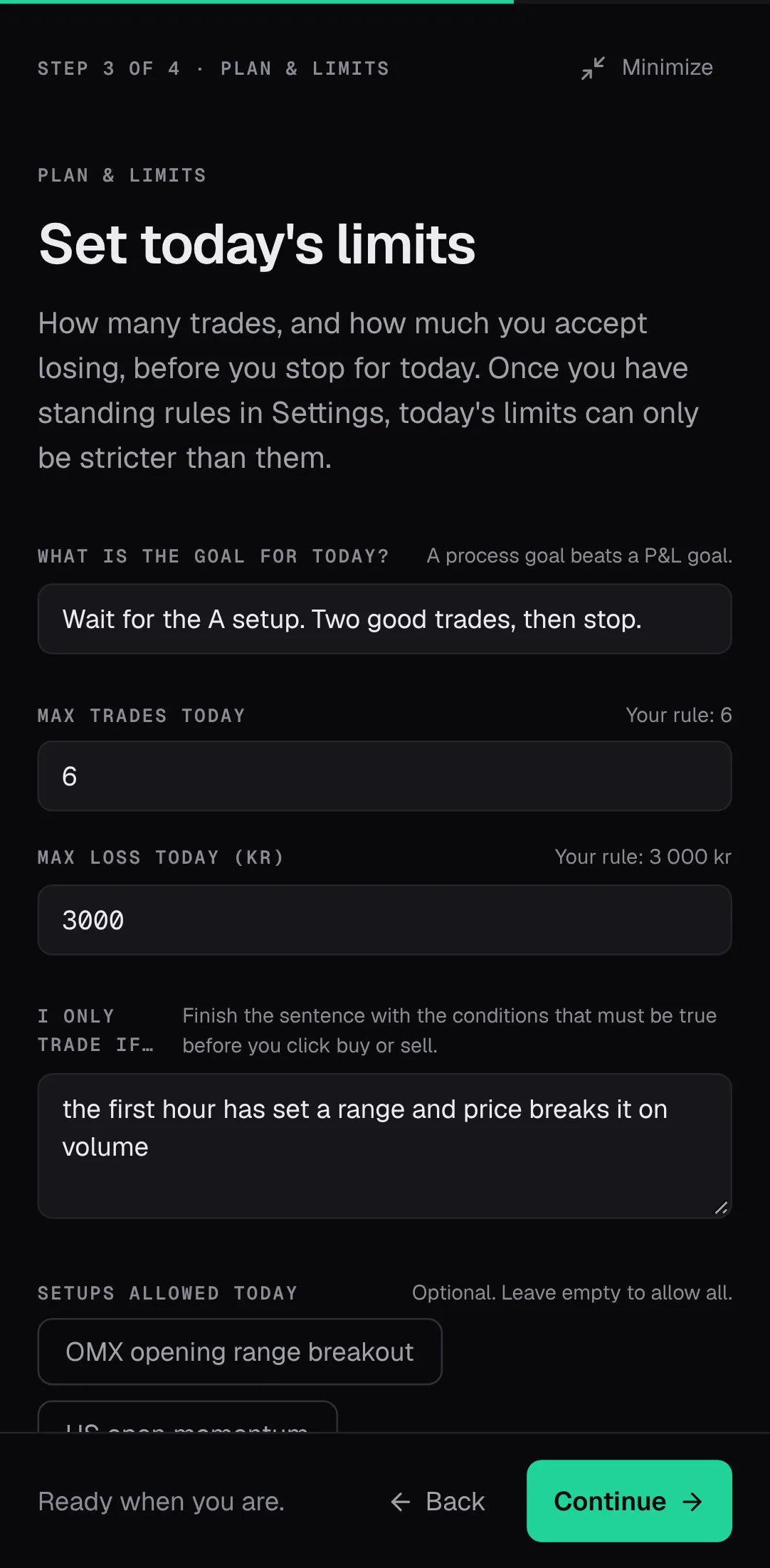
A morning routine of a few steps that ends in a plan for the day: your bias per instrument, how many trades at most, how much you are willing to lose, and the one condition you need to see before you trade. In the evening, four questions: did you follow the plan, how disciplined were you from one to five, what worked, what will you do differently tomorrow. The answers land in the day's note, where the calendar and the weekly review can read them.
- A weekly review page with a reflection and one focus rule for the coming week.
- On Sundays, a short plan for the week ahead. It is offered until Monday and then leaves you alone.
- All of it is optional. Skip a day and nothing nags you about it.
Also in the box
Export, CSV and JSON
Settings → Data & account. The CSV opens cleanly in Swedish Excel; the JSON has everything.
Keyboard shortcuts
G then a letter to switch pages, J and K to move in the journal, Ctrl Enter to save. Press ? for the list.
Installable on your phone
Add it to the home screen on iPhone or Android and it opens like an app.
Privacy mode
One button in the top bar blurs every amount, including the tab title. For screen sharing and crowded trains.
Markdown notes
Lists, bold and checklists in your notes, if you want them. Plain text works too.
Playbooks with rules
Write down each setup and its rules. Tick the rules you followed when you log, and see how consistently you follow them.
Personal limits and goals
Max trades per day, a daily and a weekly loss limit, shown as live meters on the dashboard with a stop signal. Goals for the month if you want them.
Monthly report
One page per month with the numbers and your notes, laid out to be read in one sitting or printed.
What LogBook doesn't do
Said up front, so you can pick something else if you need one of these.
Broker sync
LogBook never connects to your broker, and you type each trade in yourself. That is deliberate: entering a trade is the moment you think about it, and a journal that fills itself in is a statement, not a journal. Avanza traders can scan a screenshot of their transactions instead; the text recognition runs in your browser.
AI
No AI coach, no generated summaries, no chat. LogBook shows you what you did and how it went, in plain numbers. What to make of it is your job, and we think that is the part that makes you better.
Funded-account tracking
No challenge rules, no payout counters, no prop-firm dashboards. LogBook is for people trading their own money on an ordinary account, and it stays that way.
Social features
No feed, no sharing, no leaderboard. Your trades are visible to you and nobody else. If you want to show someone a month, export it or share your screen.
Log your next trade in LogBook.
Everything on this page is free. The first trade takes about a minute, the rest about twenty seconds each.
Free. No card. Invite-only during the beta.